Skip to content
Reelomo
Create

Create

  • Text to Image
  • Image to Image
  • SVG Generator
  • Product Photography

Edit

  • Remove Background
  • Erase Objects
  • Image Upscaler
  • Local Mask Editor
  • Layer Separation
  • All image tools

Styles & Effects

  • Image Styles
  • Image Effects
  • Style Reference
  • Photo Restoration

Create

  • Image to Video
  • Text to Video
  • Product Video
  • Video Templates
  • Video Effects
  • Product Ads

Edit

  • Video Editor
  • Video Upscaler
  • Video Extender
  • Lip Sync Preview
  • All video tools

Video Models

  • Kling 3.0 Standard
  • Seedance 2.0
  • Veo 3.1 Lite
  • All video models

Image Tools

  • Remove Background
  • Erase Objects
  • Image Upscaler
  • All image tools

Video Tools

  • Video Editor
  • Video Upscaler
  • Video to GIF
  • All video tools

Explore Tools

  • Photo Utilities
  • Audio Tools
  • 3D Tools
  • Workflow Tools
  • All tools

Image Models

  • GPT Image 2
  • Nano Banana 2.1
  • Seedream 5.5
  • Seedream 5.0 Flash
  • All image models

Video Models

  • Kling 3.0 Standard
  • Seedance 2.0
  • Veo 3.1 Lite
  • MiniMax H3
  • KKling 4.0Catalog only
  • All video models
Pricing
Help
Reelomo
Sign in
Create
  • Text to Image
  • Image to Image
  • All image tools
  • Image to Video
  • Text to Video
  • All video tools
  • All image tools
  • All video tools
  • All tools
  • All image models
  • All video models
  • All models
Pricing
Sign in Help

Perfume spotlight

Open this preset with its sample image, or use your own photo in the studio.
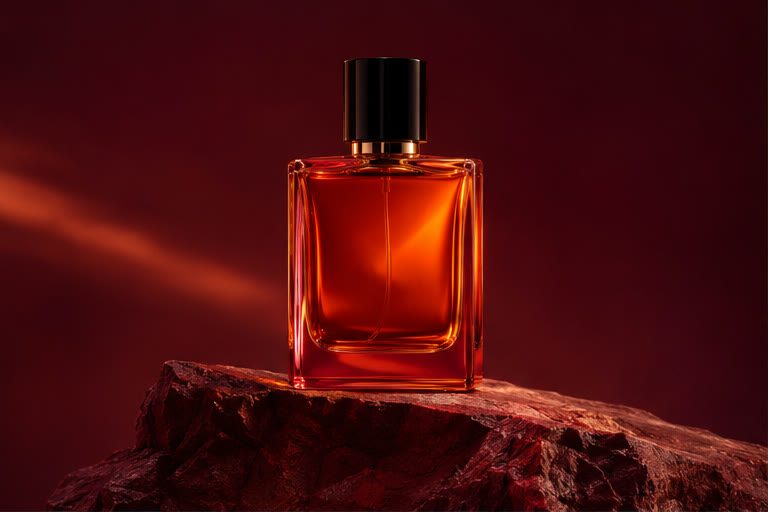
Visual reference for Perfume spotlight
Download reference image

Prompt

Start with the uploaded bottle centered on a dark plinth. Push in slowly as warm side light crosses the glass and cap. Keep the original shape and label legible, and hold a clear front view at the end.

Product Video · 9:16 · Slow Push-in

Use template
Browse product ads
Reelomo
HelpInspirationSupportPrivacyTermsRefund Policy