Skip to content
Reelomo
Create

Create

  • Text to Image
  • Image to Image
  • SVG Generator
  • Product Photography

Edit

  • Remove Background
  • Erase Objects
  • Image Upscaler
  • Local Mask Editor
  • Layer Separation
  • All image tools

Styles & Effects

  • Image Styles
  • Image Effects
  • Style Reference
  • Photo Restoration

Create

  • Image to Video
  • Text to Video
  • Product Video
  • Product URL to Video
  • Video Templates
  • Video Effects
  • Product Ads

Edit

  • Video Editor
  • Video Upscaler
  • Video Extender
  • Lip Sync Preview
  • All video tools

Video Models

  • Kling 3.0 Standard
  • Seedance 2.0
  • Veo 3.1 Lite
  • All video models

Image Tools

  • Remove Background
  • Erase Objects
  • HEIC to JPG
  • All image tools

Video Tools

  • Video Editor
  • Video Upscaler
  • Video to GIF
  • All video tools

Product Video

  • Product Video
  • Product URL to Video
  • Product Photography
  • Video Templates

More tools

  • Photo Utilities
  • Audio Format Converter
  • Audio Tools
  • 3D Tools
  • Workflow Tools
  • All tools

Image Models

  • GPT Image 2
  • Nano Banana 2.1
  • Seedream 5.0 Flash
  • Seedream 5.5
  • Nano Banana 2
  • All image models
  • Compare image models

Video Models

  • Kling 3.0 Standard
  • Seedance 2.0
  • Veo 3.1 Lite
  • MiniMax H3
  • Wan 3.0
  • Seedance 2.0 Fast
  • Kling 4.0 Flash
  • All video models
  • Compare video models
Pricing
Help
Reelomo
Sign in
Create
  • Text to Image
  • Image to Image
  • All image tools
  • Image to Video
  • Text to Video
  • Product Video
  • Product URL to Video
  • All video tools
  • All image tools
  • HEIC to JPG
  • Video to GIF
  • Audio Format Converter
  • All video tools
  • All tools
  • All image models
  • All video models
  • All models
  • Compare models
Pricing
Sign in Help

Image to Video

Upload a photo, choose how it moves, and turn it into a short video.

Make a free 5‑second video

Add a slow zoom or side slide. Download a silent MP4, no account needed.

Open AI Studio

AI generation requires sign-in and credits.
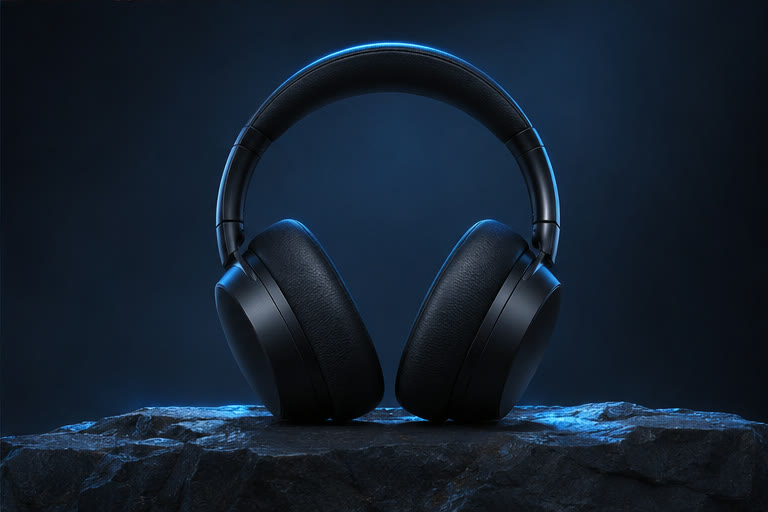
Black headphones on a blue-lit rock
Example photo
See photos and video examplesReuse a Sora 2 promptCamera orbit promptTry a two-photo rap duet
Source image
0/800

5s · 720p · 16:9 · Quote 34 credits

Add a photo to generate.

MP4 · Includes generated audio

Sample preview
16:9 / 720p sample

Camera orbit prompt for image to video

A short camera arc reveals one side of the subject. Leave room around it and describe which details should stay fixed.

Move the camera in a shallow arc from left to right around the subject. Keep the subject stationary, its shape and colors consistent, and the horizon steady. Finish at a slightly different angle.
Use camera orbit prompt
Black headphones standing upright with room around their silhouette
Example source photo

Image-to-video examples with prompts

Compare each original photo with a playable sample. Apply its motion to your own photo, or load the example photo to start.

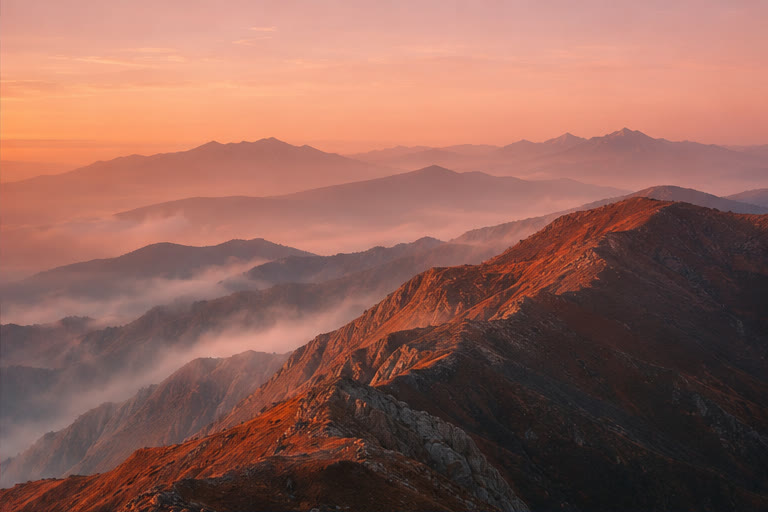
Mountain ridge at sunset

Mountain ridge at sunset
Source photo
Prepared clip

5 sec · 720p · 16:9 · Silent MP4

Motion prompt

Glide slowly toward the nearest ridge. Keep the mountain silhouettes and horizon steady, and hold the warm light and layered shadows throughout.
Use this motionDownload sample

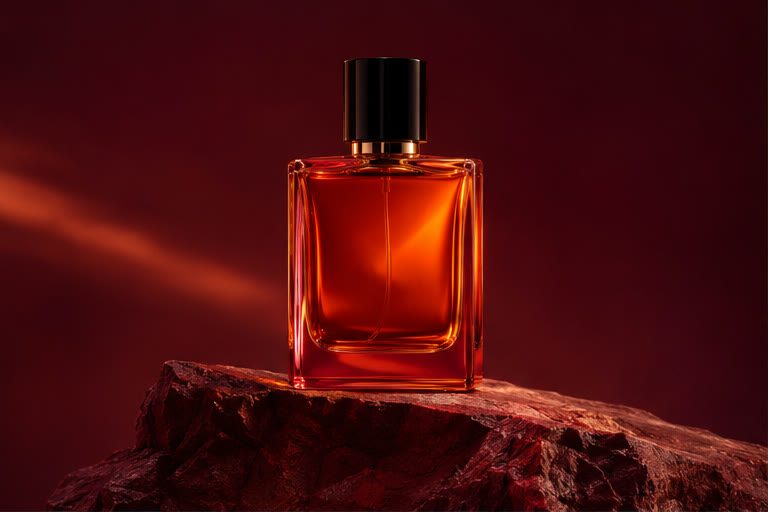
Warm light on glass

Warm light on glass
Source photo
Prepared clip

5 sec · 720p · 16:9 · Silent MP4

Motion prompt

Start with the uploaded bottle centered on a dark plinth. Push in slowly as warm side light crosses the glass and cap. Keep the original shape and label legible, and hold a clear front view at the end.

Use this motionDownload sample

A slide across headphones

A slide across headphones
Source photo
Prepared clip

5 sec · 720p · 16:9 · Silent MP4

Motion prompt

Begin with the uploaded headphones on a clean studio stand. Slide gently from the headband toward the ear cups and use soft rim light to reveal padding and surface detail. Preserve the silhouette and finish on a stable side profile.

Use this motionDownload sample

How to turn a photo into a video

  1. Choose a still image. Upload a JPG, PNG, or WebP up to 10 MB. A sharp image with room around the subject gives the camera space to move.
  2. Describe what moves. Name the subject, the motion, and what should stay steady. Use one clear camera direction, such as a slow push toward the ridge or a slide across a product.
  3. Choose your framing. Set a landscape or vertical frame and review the model’s available settings. When generation is available, completed clips can be played and downloaded from My Videos.
  • Make a product showcase with Product Video
  • Extract a still frame from a video
  • Turn a short clip into a GIF

Frequently asked questions

Which reference images can I upload?

Use a JPG, PNG, or WebP image up to 10 MB. Start with a sharp photo and leave room around the subject for the movement you want.

What should I write in the motion prompt?

Describe what moves, how the camera moves, and what stays still. For example: slowly push in as the curtain moves in the breeze; keep the person and background framing steady.

Why can’t I select a model?

The model directory includes both models you can use and models listed for reference. The workbench shows which models are available for your workflow and their supported settings.

Can I try Reelomo for free?

You can play and download prepared samples, browse prompts, and use browser photo utilities without buying credits. To generate with a cloud model, sign in and review the credit cost shown before you submit.

Where can I find and download my results?

Open My Videos with the account you used to generate the result. Open a completed task to preview, download, or reuse its settings. Browser tools offer the download in the tool itself.

Next steps

  • Start from a written prompt
  • Make a product video
  • Extend a clip further
Reelomo

AI Video

  • Image to Video
  • Text to Video
  • Video Editor
  • All video tools

AI Image

  • Text to Image
  • Image to Image
  • Remove Background
  • All image tools

Product Video

  • Product Video
  • Product URL to Video
  • Product Photography
  • Video Templates

Explore Tools

  • All tools
  • Audio Tools
  • 3D Tools
  • Inspiration
  • All models

Help

  • Help
  • Support
  • Privacy
  • Terms
  • Refund Policy